FooMote - Foobar Remote PRO4.02.1
Publisher Description
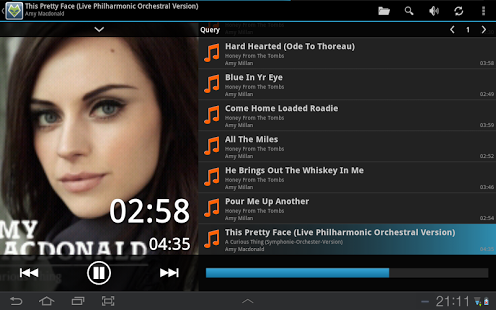
Try first the free LITE version!
Difference to LITE:
- Ad-free
- Full Voice Control
- 4 different Widgets
STEP 1:
Download foobar_foomote.zip from our website (http://www.banamalon.net)
STEP 2:
Select 'Change Server' from menu
STEP 3:
Select 'Add' and add a server.
STEP 4:
Select the added server.
STEP 5:
Be a potatoe and use your coach!
STEP 6:
Review the application!
Any problems => contact us or use manual!
http://www.banamalon.net/android/wiki/index.php?title=FooMote
Features:
- Play, Pause, Stop
- Control Volume
- Control Timeline
- Skip-Buttons
- Next, Previous Buttons
- Synchronize with players playlist
- Use Players Medialibrary
- Filemanager
- HomeMedia access
Extra features in PRO version:
- Ad-free
- Notification remote (Android 3.0+)
- Full Voice Control
- 4 different Widgets
Uses ActionBarSherlock Library
This app was not created or endorsed by foobar2000.
About FooMote - Foobar Remote PRO
The company that develops FooMote - Foobar Remote PRO is Banamalon OG. The latest version released by its developer is 4.02.1. This app was rated by 2 users of our site and has an average rating of 3.8.
To install FooMote - Foobar Remote PRO on your Android device, just click the green Continue To App button above to start the installation process. The app is listed on our website since 2013-12-02 and was downloaded 69 times. We have already checked if the download link is safe, however for your own protection we recommend that you scan the downloaded app with your antivirus. Your antivirus may detect the FooMote - Foobar Remote PRO as malware as malware if the download link to banamalon.foobar.pro.mote is broken.
How to install FooMote - Foobar Remote PRO on your Android device:
- Click on the Continue To App button on our website. This will redirect you to Google Play.
- Once the FooMote - Foobar Remote PRO is shown in the Google Play listing of your Android device, you can start its download and installation. Tap on the Install button located below the search bar and to the right of the app icon.
- A pop-up window with the permissions required by FooMote - Foobar Remote PRO will be shown. Click on Accept to continue the process.
- FooMote - Foobar Remote PRO will be downloaded onto your device, displaying a progress. Once the download completes, the installation will start and you'll get a notification after the installation is finished.
Program Details
System requirements
Download information
Pricing
Version History
version 4.02.1
posted on 2013-12-02
- PRO: Notification remote (Android 3.0+),- Ready for HomeMedia 2.0,- Handle progress bar by a long press on play/previous/next,- Minor bugfixes
version 4.01
posted on 2013-05-03
Several fixes and updates
